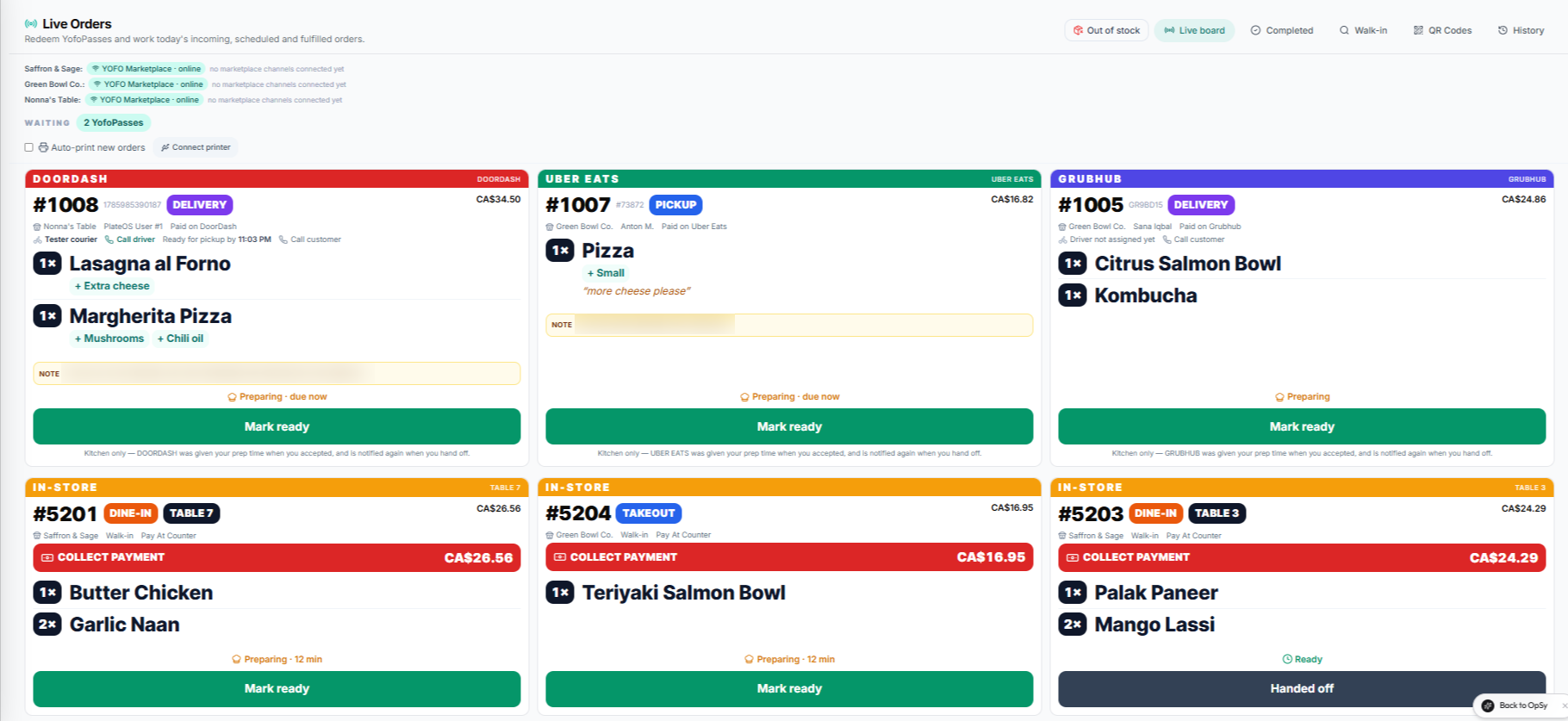
Inside PlateOS: OrderHub order tickets. Cropped product capture with demonstration orders.
HOW IT WORKS
From the request to the work behind it.
01
Create a direct relationship with your guests
Build a storefront around your menu and brand. Offer the purchase and fulfilment options supported by your setup, and keep the catalogue connected to your operations. PlateOS charges no commission on direct storefront orders; payment processing and optional modules are separate.
Your own website and domain
Connected menu and checkout
Customer records in your workspace
02
Make repeat visits part of the product
Prepaid meal passes let a customer buy credits and return to redeem them. Staff can use the redemption terminal to look up an eligible pass and record a redemption. Pass credits, refunds and adjustments have a transaction history so the team can review what happened.
Configure supported pass packages
Staff lookup and redemption
Review credit balances and activity
03
Bring more channels onto one board
OrderHub is an optional integration for supported Uber Eats, DoorDash, SkipTheDishes and Grubhub accounts. It brings connected delivery-app orders alongside your direct orders. QR ordering supports table and counter workflows, with the store and table context carried into the ordering experience.
Connected-channel order board
Table and counter ordering links
Staff permissions and store selection
BEFORE YOU START
A few useful answers.
Do I have to connect delivery apps?
No. You can begin with your direct PlateOS storefront. OrderHub is an optional paid module for supported channel accounts.
Does OrderHub replace delivery-app commissions?
No. Delivery apps retain their own fees and agreements. OrderHub helps manage connected operational workflows.
Can a restaurant also sell meal plans or catering?
Yes. PlateOS supports mixed food-business models. A demo can help map your menu and team to the relevant modules.
 PlateOS