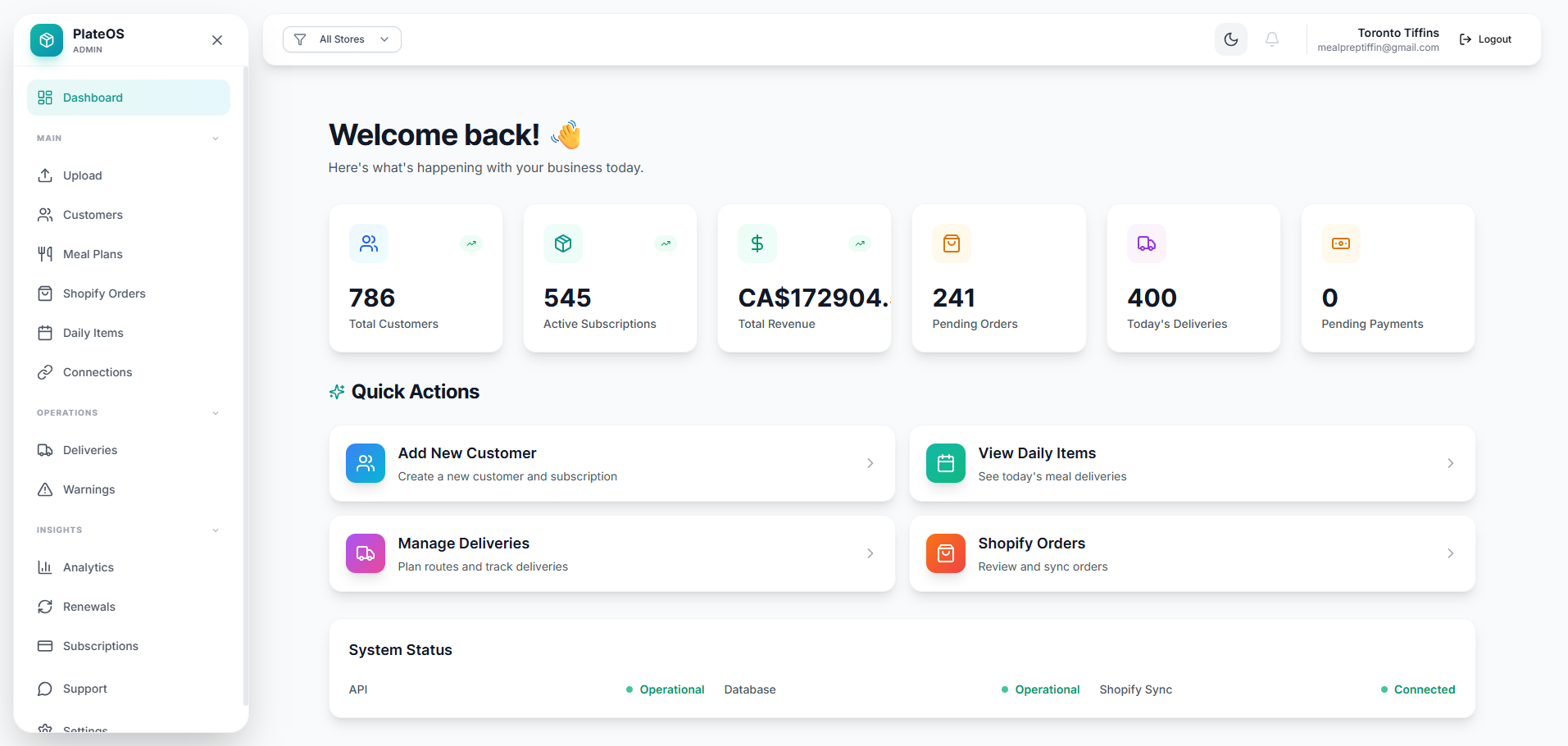
Inside PlateOS: an operations dashboard. This earlier interface shows how the work is connected; current layouts vary.
HOW IT WORKS
From the request to the work behind it.
01
Model the locations before adding complexity
Set up each relevant location as a store in your tenant workspace. Associate the appropriate products, orders and storefront experience with that store. This makes the store selector meaningful for the people reviewing the operation.
Store configuration and catalogue context
Location-specific storefront choices
Supported store-filtered operational views
02
Give teams access that fits their work
Use roles and store permissions to control which information and actions a team member can access. An authorised operator can move between stores, while a restricted team member remains within their allowed scope. Confirm the exact reporting and workflow needs in a demo.
Role-based permissions
Store access restrictions
Shared context for authorised operators
03
Connect the right channels at each site
OrderHub is priced per location and connects supported delivery-app accounts. Delivery management, additional stores and other modules are configured separately. Bring your location list and channel accounts to a demo so the team can help map the setup and costs.
Supported channel connections
Location-aware OrderHub setup
Transparent optional module pricing
BEFORE YOU START
A few useful answers.
Can I restrict a staff member to a store?
PlateOS supports store-scoped permissions for applicable workflows. Configure and verify the role against the tasks that person needs.
Does one OrderHub fee cover every location?
No. OrderHub is an optional CA$139 per month per location module. Additional stores and other PlateOS charges are separate.
 PlateOS