Give customers a website that looks like your brand and helps them buy. OpSy answers product questions and helps shoppers choose, while your catalogue, prices and checkout stay connected to PlateOS.
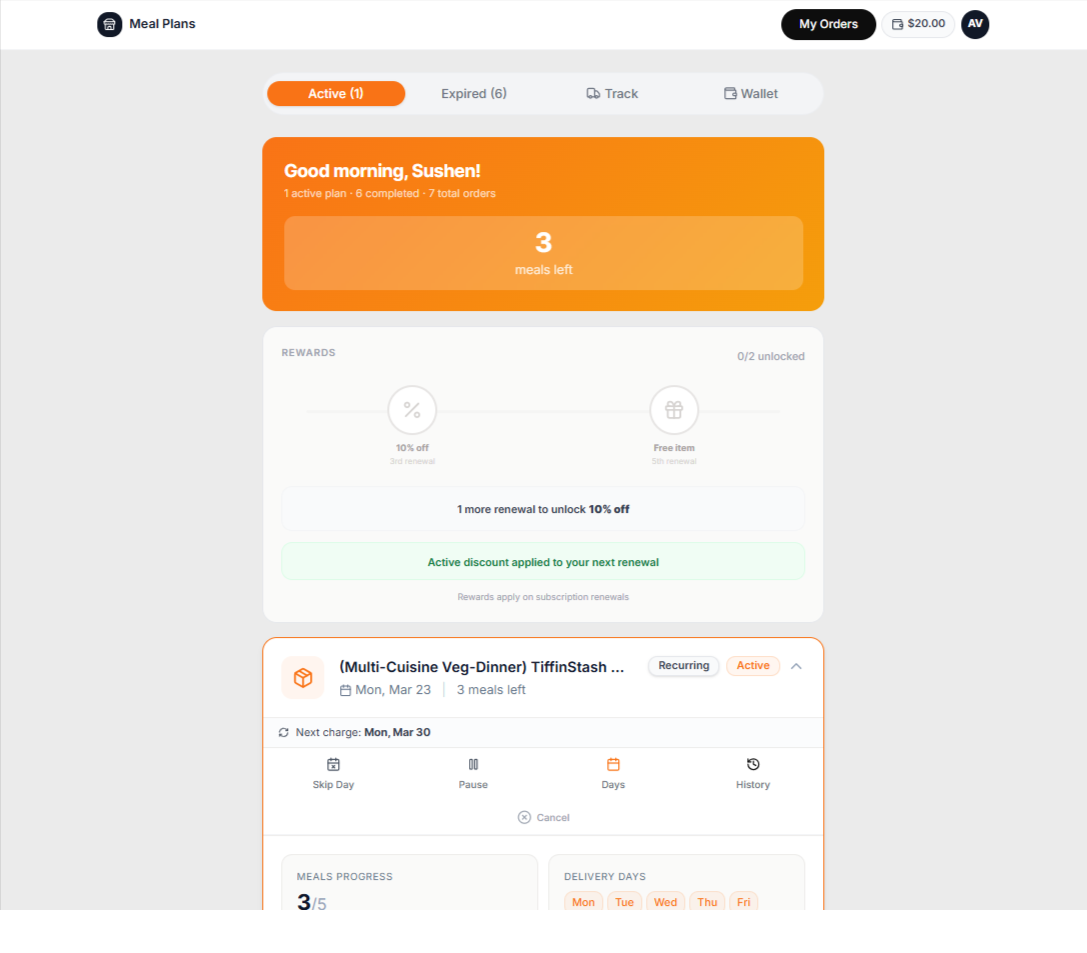
Inside PlateOS: a customer meal-plan portal. Available actions depend on store settings.
HOW IT WORKS
From the request to the work behind it.
01
Give your storefront a sales conversation
Visitors can ask OpSy about your products, plans and pricing while they browse. The agent uses your public catalogue and business knowledge to answer buying questions and help customers find a suitable option. Customers complete their purchase through your storefront checkout, and your team can step in when a conversation needs a person.
Answer questions while customers shop
Help visitors explore your products
Keep the purchase on your branded storefront
02
Edit the section you are looking at
Use Design Studio to select a section on the preview, change its content and adjust the supported design settings. Add sections, update text and images, and choose whether a product area features meal items or meal plans. The default PlateOS theme and supported imported websites use this editing approach.
Select and edit on the canvas
Add and arrange supported sections
Configure featured products and plans
03
Keep the design connected to real products
Website sections link to products already managed in your PlateOS store. Catalogue changes do not require rebuilding an unrelated website database. Choose which products a section presents, while orderability and checkout continue to use your store's configuration.
Products and pricing from PlateOS
Switch between items and plans
Catering and customer portal entry points
04
Bring a design, keep your identity
You can import a website package in the supported PlateOS format and then edit its structured sections. Existing Shopify themes or other websites need conversion into that format; arbitrary React or theme code is not executed as an upload. Connect a custom domain using the DNS instructions for your provider.
Supported native website imports
Editable structured content
Custom-domain storefronts with HTTPS
BEFORE YOU START
A few useful answers.
Can I import any Shopify theme ZIP directly?
No. A theme needs conversion into the supported PlateOS website package. The conversion prompt explains the required structure and product connections.
Can I feature plans instead of individual meal items?
Yes. Supported product sections let you choose the product type and linked products from your PlateOS catalogue.
Can my storefront use its own domain?
Yes. Connect the hostname in Design Studio and follow the generated DNS and HTTPS verification instructions. Root-domain setup varies by DNS provider.
 PlateOS