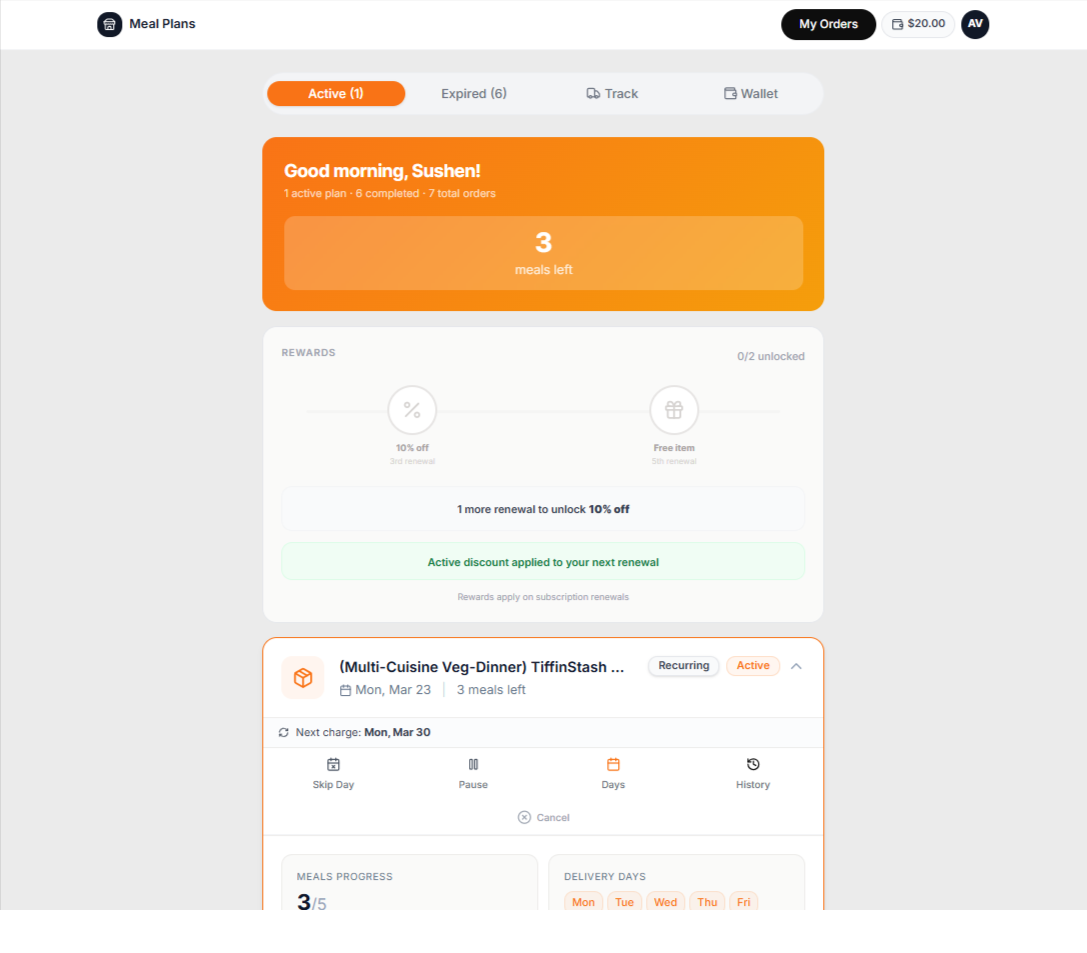
A weekly plan changes one delivery at a time. Bring the storefront, customer schedule, kitchen and dispatch together instead of rebuilding the same list in separate tools.
Inside PlateOS: a customer meal-plan portal. Available actions depend on store settings.
HOW IT WORKS
From the request to the work behind it.
01
Before the kitchen starts
Review the selected day's item counts and customer rows. Supported skips, pauses, add-ons and one-day modifications feed the daily calculation. Check exceptions and capture status so your team knows whether it is looking at a saved day or a current calculation.
Review totals by item, plan or customer
Keep special instructions with the work
Prepare packing labels
02
As the day moves forward
Use the delivery workspace to assign drivers and organise routes. Customer support can work from the same customer and order context when someone asks about a change or a delivery. The next day's schedule remains separate from what your team has already completed.
Map-based dispatch
Driver and customer tracking links
Shared support context
BEFORE YOU START
A few useful answers.
Can I run without Shopify?
Yes. PlateOS provides a native storefront and checkout. Supported Shopify integration is available if you already sell there.
 PlateOS