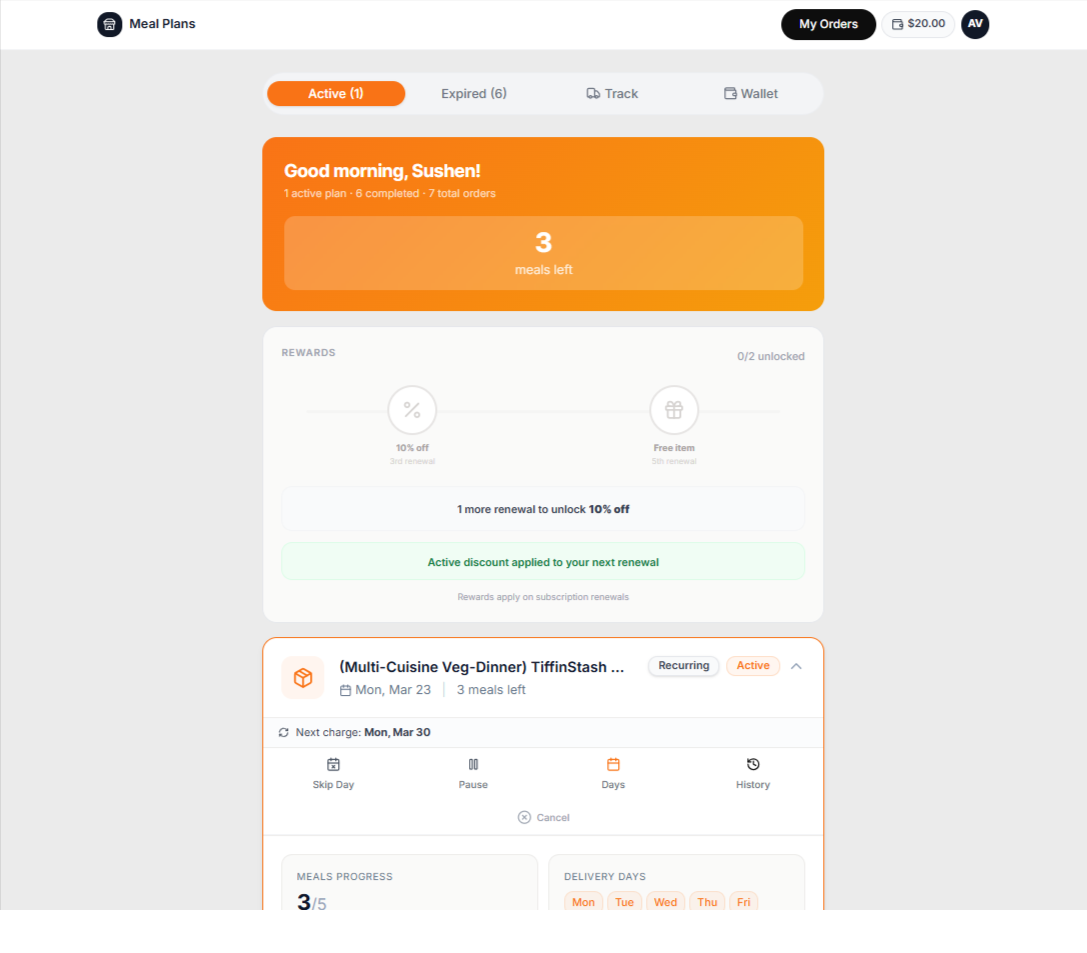
Inside PlateOS: a customer meal-plan portal. Available actions depend on store settings.
HOW IT WORKS
From the request to the work behind it.
01
Model what the kitchen needs to know
Build plans from clearly named meal items and portion sizes. Manage the nutrition and product information your business supplies; do not rely on generic food descriptions to represent a specific meal. Let customers browse the available catalogue through your storefront.
Named portion sizes
Connected product information
Plan and item availability
02
Review the impact of a change
Use supported plan changes and upgrades to manage customer needs, then review the resulting schedule, preparation details and applicable charges. The customer portal and shared inbox help your team understand what the customer asked for and what was actually changed.
Supported plan-change workflows
Daily prep reflecting recorded changes
Customer history and support handoff
BEFORE YOU START
A few useful answers.
Does PlateOS invent nutrition values?
No. Your business is responsible for providing accurate product and nutrition information. A missing value should not be represented as a verified nutritional claim.
 PlateOS